














What is Website Malware?
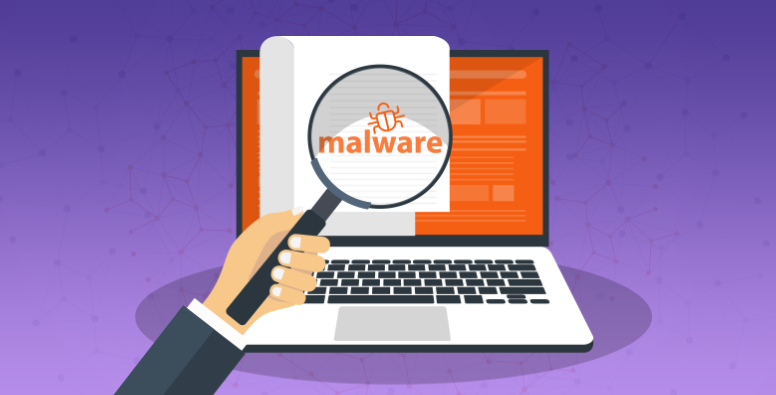
Malware for websites refers to specifically detrimental malicious software that is designed to attack, destroy, or hijack websites and web applications. Examples of harmful activities would include: stealing highly classified items like login credentials and financial data; disruptions of normal business activities by causing server crashes or downtime of websites; gaining unauthorized access to a website’s backend to manipulate content or functionality. Criminal hackers use malware to compromise websites for themselves whether by redirecting visitors to spam pages, injecting harmful scripts or even spreading malware to visitors of the website. It can be left unchecked and severely malaise the functionality, security, and reputation of a website with possible financial loss, legal consequences, and lowered search engine visibility due to being penalized or blacklisted by authorities like Google.
Common Types of Website Malware
Website malware is of several types and all these types work on the weakness of the system they infect and are intended for a disturbing or malicious purpose. Thus the security of websites gets compromised; the operations are stopped; sensitive data are stolen; user trust gets affected. Types of website malware ought to be recognized and tackled for effective identification and mitigation of the risks associated with it. Some of the common types of website malware are given below with their unique characteristics and methods of operation:
- Trojans
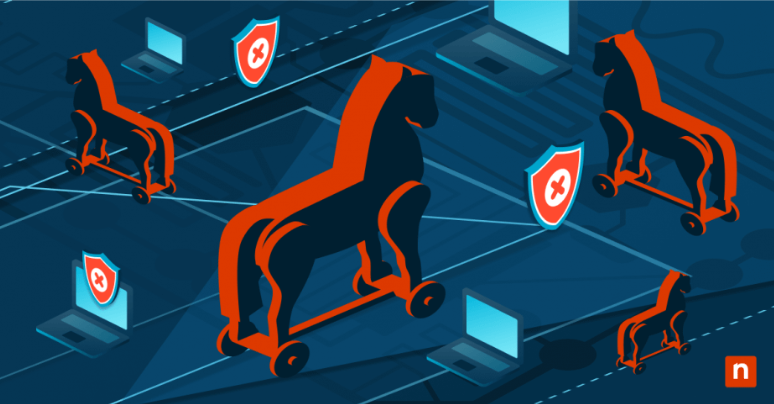
Trojans are such programs that pretend to be officially presented and are easily downloaded and installed by the users so that the users are unaware loose control over the website later and give hackers backdoor access into the website to exporting files, modifications and deletions and even installation of other malware. Trojans attack using software vulnerabilities or social engineering techniques.
- Ransomware

Ransomware encrypts information on a website and files it, hence making it not accessible, and the blackmailer would normally demand a ransom to decrypt it. Ransomware can infiltrate systems mainly through phishing emails, other means through exploits in software vulnerabilities and abuse of remote desktop protocols. This type of malware can greatly affect businesses and incur financial costs if no backups or recovery plans are in place.
- Phishing Scripts
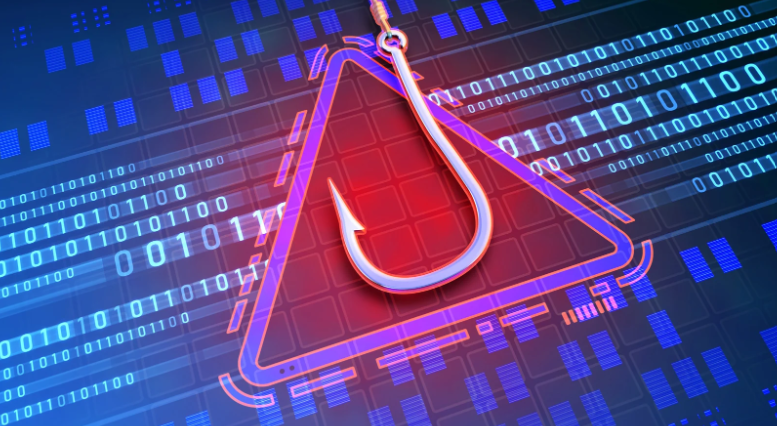
Phishing scripts are also used by cybercriminals to design fake login pages, which look like genuine login pages of sites. The victims rather mislead them so that they can trick them into feeding user IDs and passwords. The scripts are mostly hidden within the internal path folder structures of the compromised website, thus making them somewhat harder to find.
- Spyware

Spyware does the spying in privacy and records sensitive information without the consent of users such as passwords or payment details. From a website perspective, an example of degrading performance and even privacy could come from spyware such as keyloggers that will record keystrokes and, in turn, can have login information stolen.
- SEO Spam
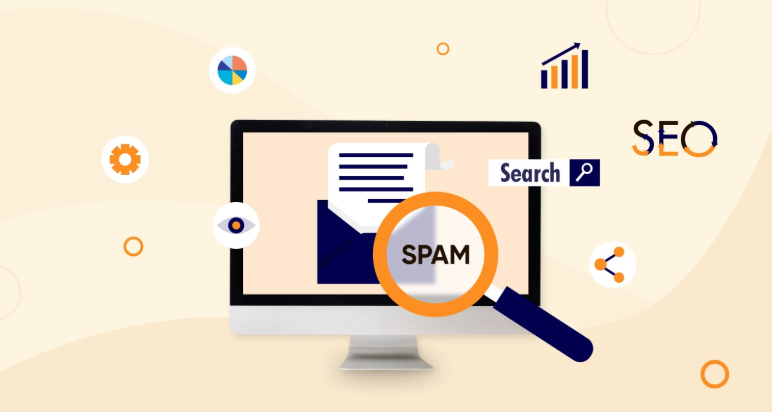
Hacks site, adds spammy content or keywords or links to web pages to improve manipulative rankings of search engines. Hackers take advantage of this by inserting their spammy link or creating hidden pages that redirect traffic to fraudulent websites. It could harm up the reputation of a website, lowering SERPs and possible mailing by search engines like Google.
- Redirect Malware
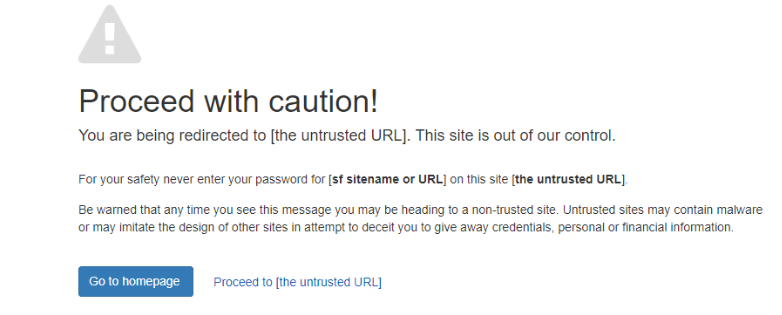
Redirect malware forces a visitor on the site to be redirected towards malignant or deceptive pages through malicious coding inside that particular site’s JavaScript files and/or other components. Most of these would be the causes of financial revenue generation through advertisement clicks by attackers or infect the end-users’ devices with other malware applications. It mostly targets certain browsers and/or devices which render its detection by site owners really tough.
How Websites Get Infected
Most people who own websites find it unbelievable that walls can be breached under any circumstances. But, unfortunately, these are some loopholes and errors through which a hacker can hack into the website. These hackers further exploit all these loopholes by injecting malicious code, stealing sensitive data, or disrupting the operations of the web portals. Below are the most common ways in which websites can be hacked with a description of how each of them creates security risks concerning the hacking method:

- Outdated Software
Old versions of content management systems (CMSs), applications of plugins, and themes have created a huge number of security holes. Outdated software usually contains known bugs, exploits that hackers can easily target. Research claims that about 95% of websites are running on such outdated software, thereby exposing them to injections with malware, data breaches, and lots of other cyberattacks. Any negligence towards updates will lead to cumulative vulnerabilities along the timeline, which will then greatly ease attackers’ work when compromising the entire system. - Weak Passwords
Weak or reused passwords are very useful when gaining unauthorized access by using brute-force attacks or automated password-cracking software. Quite predictable and lacking in complexity, weak passwords allow for an easy infiltration by cyber criminals. Such weak passwords lead to unauthorized access, data breaches, identity thefts, and financial frauds. Weak passwords can lead to defacement or total takeover of the website by hackers. - Unverified Third-Party Plugins
Downloading plugins from unreliable sources exposes users to the potential for malware and other security threats. Malicious plugins may run unknown scripts, steal sensitive data by sending it to unauthorized third-party servers, or create backdoors for attackers. Unverified plugins mostly lack the proper security attachments and do not ensure compatibility with the last version of a CMS, thus increasing the chances of crashes and vulnerabilities. - Insecure Hosting
Poorly managed hosting services expose a host of cyber threats to websites, such as Distributed Denial-of-Service (DDoS) attacks and malicious software injections. The insecure hosting environments lack standard robust security protocols, thus making them a much easier target for attackers. All of these could result in data breaches, downtime, and loss of reputation for organizations that depend on their websites to create their credibility and make their on-the-ground operations possible.
Cross-Site Scripting (XSS) Attacks
These attacks occur when a hacker injects malicious scripts into trusted websites and makes them bypass the same-origin policy, which serves to separate code from different sites. The scripts are then executed within the target website, allowing the hacker to get sensitive data or impersonate users. XSS vulnerabilities are rife-in fact, 92% of websites are open to such attacks due to improper input sanitization.
Signs Your Website is Infected with Malware
Malware infections can cause huge functionality, security, and reputation problems for a website. Time is of the essence for detecting these kinds of infections, as slowing or failing to do so can lead to further damage and endanger visitors’ safety. Below are some common indications of a possible malware infection, along with an explanation of each of the signs discussed:
- Website Performance Issues
If your website suddenly began to slow down or crash often, it may deal with hackers sucking resources from your server or executing harmful scripts loaded in the background. The heavy websites run by malware are often the unintended results of processes running in the background called by nefarious means and sending spam emails. For instance, somebody will use a malware program to redirect traffic, therefore slowing it, and when a website is slow or down, people encounter performance issues accompanied by a lot of error messages. Persistent performance issues and lack of rise in website traffic are strong indicators that a breach has occurred.
- Unusual Pop-ups and Redirects
Websites that are malware infected get unwanted pop-ups or redirect clients to irrelevant malicious sites. Pop-ups usually advertise spammy advertisement schemes, market counterfeit products, or trick consumers into providing sensitive information through their phishing pages. Also, redirecting users erodes user trust creating frustrating user experiences and driving away legitimate traffic.
- Search Engine Warnings (Google Blacklist)
Untrusted search engines, like Google’s Safe Browsing, do detect websites’ running contents and appropriate warnings, such as “This site may be hacked,” “This site contains malware,” or other similar messages, are flashed before users; These messages so often deserve attention once such sites become relevant in their searches or launching browsers onto an infected site. Being blacklisted on Google can really hurt your site ranking optimization and credibility.
- Unauthorized File Changes
Unauthorized changes to any files or the content on your website by any means imply that hackers inserted malicious scripts into your website or modified the core files of the system. Unusual-looking filenames could be changed, directories could receive unauthorized files or key files, like .htaccess and index.php could be modified. Such modifications often create backdoors that allow hackers continuous access and the ability to run more malware.
How Malware Affects Your Website and Business
Experts estimate that the impact of malware in a business includes all the possible forms of devastation it brings for a website from online reputation to customer credibility and financial ramifications. Following are the absolute effects of malware in a business and its website, along with descriptions of the influence:
- Loss of Website Traffic and SEO Rankings
In response to the potential malware infection, search engines such as Google immediately blacklist it as a measure to prevent users from visiting such sites. As a result, both organic traffic and search engine rankings plummet. Blacklisting usually has a warning such as “This site contains malware,” thus keeping away visitors and pushing them to competitors. Even when malware elimination has been done, recovering from lost rankings is a slow process since search engines reconsider safety and credibility scores by the site over time. Besides, malicious activities such as SEO spam injections or URL redirects could run very deep into the reputation of your sites with search engines, which delays their recovery.
- Compromised Customer Data and Security Risks
Malware allows hackers to steal sensitive customer data, including payment details, personal information, and login credentials. This can lead to identity theft, unauthorized transactions, or account hijacking. Businesses face significant financial liabilities and legal consequences to an extent that they would fail to duly protect customer data. Ransomware attacks, for example, are threats that leave businesses with decision-making opportunities of either paying or having critical data encrypted in their servers; hence, these attacks increase the security risks further.
- Damage to Brand Reputation
A website has been hacked and so business customer authority has been eroded and broken brand image reflected. Visitors coming at a time when there are cybersecurity warnings, malicious redirects, or spam content are not likely to return because they link the brand with vulnerability and unreliability. The significantly compounded damage happens through the media following the virality of news regarding cyberattacks through social media and other news outlets. Competitors may use this to attract customers away, making it even harder for businesses to revive their reputations again.
- Financial and Legal Consequences
Some of the financial consequences of malware include ransom payment, IT recovery expenses, loss of revenue incurred through business downtime, and increased insurance premiums. Legal liabilities may include fines imposed due to violation of data protection laws like GDPR and CCPA upon compromising customer data. Lawsuits filed by customers or partners for alleged loss would add to the financial burden. Such incidents could tend to have devastating effects on small businesses with little mobility.
Steps to Remove Malware from Your Website
Removing malware from a website occupies a critical process in resetting the security, functionality and reputation of the website. It presumes having a systematic approach in making sure that all traces of miscreant code are eradicated and the vulnerabilities are taken into account. Below is a detailed explanation of the essential steps to take in removing malware from the website.
- Scanning Your Website for Malware
The very first step toward cleaning your site is to run a scan through your favorite security tool, such as Sucuri, Wordfence, or SiteLock. All these tools are meant to perform such actions in order to review file and database configurations and infection messages, whether or not they’ve been manipulated on the server; comprehensive scans indicate potential malware locations, such as injected scripts, spammy content, and/or compromised plugins. In addition, new threats can be detected in a timely and relevant manner due to regular scanning before progression to new stages. - Identifying and Isolating Infected Files
Once malware is detected, locate the compromised files and isolate them to prevent the infection from spreading further. This step involves identifying suspicious files based on unusual names, expected changes in file sizes, or unauthorized modifications. Isolating this file may involve disabling the affected plugins or themes temporarily and also restricting access to such infected directories before cleaning. - Cleaning Up Malicious Code
After isolating files that could be involved in infections, unauthorized scripts are to be removed from the web file, besides database entries. This can be achieved by either manually deleting harmful code or by directly employing automated cleaning tools provided by the security software. All areas to check should include .htaccess files, JavaScript code, PHP scripts, and database tables where attackers hide malware. Make certain the killing of all harmful codes, leaving no room for reinfection. - Restoring a Clean Backup
Then, if cleanup from the malware is going to be too complex or extensive, it could be very efficient to restore a clean backup version of your website that could be presented or that happened before the backup. Check that this backup is also free of malware by scanning it before restoration. After restoration, ensure updating of all software components, including the CMS platform itself and up-to-date plugins and themes, which could have made it vulnerable to possible infection.
By these four processes, scanning for malware, isolating infected files, cleaning malicious code, and restoring clean backups, it will successfully eliminate malware from your website once and forever. Such a combination of activities with a proactive security approach provides long-term protection, security, and peace for both owners of sites and users.
Tools and Services for Website Malware Removal
Certain tools and services are very important in the effective eradication of malware from a website. They are designed to detect, clean, and protect sites from current and future threats. Below is a comprehensive exposition concerning the best tools and services for the removal of malware from pages:
Best Free and Paid Malware Scanners
- Free Malware Scanners
-
-
- Google Safe Browsing: A free service scans websites for security issues with malware, phishing, and other forms of threats flagged as this site may be harmful to your computer; it will help you avoid these pages from malicious exploitation.
- Sucuri SiteCheck: An extremely streamlined external scanner to check the incoming public-facing pages for malware, blacklisting status, and security vulnerabilities. It is free; however, it only checks the front end of your site and does not spot infections deep in.
- Wordfence Scanner: A free WordPress plugin uses scans of core files, themes, and plugins for malicious code or vulnerabilities and provides an extremely basic firewall protection to block known harm.
-
- Paid Malware Scanners
-
- MalCare: A premium WordPress security solution that offers cloud-based malware scanning without overloading your server. Its one-click malware removal feature makes it user-friendly for non-technical users.
- Astra Security: Provides automated daily scans, real-time alerts, and protection against SQL injections, cross-site scripting (XSS), and other vulnerabilities. It’s suitable for e-commerce platforms like Magento and Shopify.
- SiteLock: Offers both free and premium plans with features like automated daily scans, blacklist monitoring, and instant malware removal. Premium plans also include a web application firewall (WAF) to block potential threats.
Website Security Plugins
- WordPress Plugins
-
-
- Wordfence Security: A comprehensive plugin offering real-time threat defense, malware scanning, login security, and IP blocking. Its freemium model makes it accessible to both small blogs and larger websites.
- Sucuri Security: Known for its robust firewall protection against DDoS attacks and brute force attempts. The premium version includes continuous monitoring and faster issue detection.
- iThemes Security: Focuses on detecting file changes, enforcing strong passwords, and protecting against brute force attacks.
-
- Shopify Plugins
-
-
- Rewind Backups: Automatically backs up your Shopify store to ensure you can restore a clean version in case of an infection.
- WebARX Security: Provides advanced threat detection and prevention tailored to Shopify stores to protect customer data.
-
- Magento Extensions
-
- Amasty Security Suite: Offers two-factor authentication (2FA), file integrity monitoring, and vulnerability scanning to secure Magento stores from common threats.
- MageFence: Regularly scans Magento sites for malware infections or unauthorized changes while providing admin-level security audits.
Professional Malware Removal Services
- ITXITPro Malware Removal Services
ITXITPro specializes in professional malware removal for websites across various platforms like WordPress, Shopify, and Magento, offering a reliable WordPress malware removal service. Their services include thorough scanning to detect all types of malware, manual cleanup to ensure no traces are left behind, and preventive measures to safeguard against future infections. Key features include:- Unlimited cleanups with no hidden charges.
- 24/7 support with a guaranteed response time of under 2 hours.
- A 30-day guarantee where they offer free cleanup if the site is reinfected within this period.
By combining these tools, ranging from free scanners like Sucuri SiteCheck to premium services like Astra Security, and leveraging professional services such as ITXITPro when necessary, website owners can effectively detect, remove, and prevent malware infections while maintaining long-term security.
Preventive Measures to Keep Your Website Secure
The primary connection through their website to hold everything thereby link all forms or aspects of secure communication from everywhere without interruption and furthermore against an attack of any sort. The active measures also reduce drastically the probabilities for attack. But, these chances might even increase for following a sustained security. This is how to protect your website against:
1. Regular Website Backups
Most backups are the first important establishment in line against any sudden happenings- cyber attack, hardware failure, deletion by someone. A backup helps to create a clean version of the website, free from malware, which can later be restored without much problem in case of emergency.
- Manual Backups: Simply using cPanel to manually back up the files and databases and then downloading them to a safe location is all it needs to get that job done. Of course, this has to be done on a very frequent basis to avoid falling out of date.
- Automated Backup Services: Managed services like CodeGuard and Dropmysite will do it for you easily and keep everything backed up to a secure environment every day. They also allow choosing the time when the backup is performed and the version you wish to restore.
“Having a solid backup strategy is complete assurance with the knowledge that data is as safe and available in recovery.”
2. Keep Software, Themes, and Plugins Updated
Outdated software is one of the most common vulnerabilities exploited by hackers. Regularly updating your CMS (e.g., WordPress), themes, and plugins ensures that security patches are applied to fix known bugs and weaknesses.
- Automatic Updates: Platforms like WordPress offer built-in features to enable automatic updates for core software, themes, and plugins. This reduces the risk of forgetting to update manually.
- Compatibility Checks: Before updating, ensure that new versions are compatible with your existing setup to avoid site crashes or functionality issues.
Keeping everything updated not only enhances security but also improves performance and compatibility with other tools.
3. Use Strong Passwords and Two-Factor Authentication (2FA)
Weak passwords are a major security risk, as they can be easily guessed or cracked by attackers. Using strong passwords and enabling 2FA adds an extra layer of protection against unauthorized access.
- Strong Passwords: Create unique passwords using a mix of uppercase and lowercase letters, numbers, and symbols. Avoid using common words or patterns like “123456” or “password”. Password managers can help generate and store complex passwords securely.
- Two-Factor Authentication: 2FA requires users to provide two forms of identification—such as a password and a one-time code sent to their phone—making it significantly harder for attackers to gain access even if they obtain the password.
4. Implement a Web Application Firewall (WAF)
A Web Application Firewall (WAF) acts as a protective barrier between your website and incoming traffic by filtering out malicious requests before they reach your server. WAFs are particularly effective against attacks such as SQL injection, cross-site scripting (XSS), and DDoS attacks.
- How WAF Works: WAFs operate as reverse proxies, analyzing HTTP/S traffic based on predefined rules or policies. They block traffic from known malicious sources while allowing legitimate requests through.
- Deployment Options: WAFs can be deployed as hardware devices, software solutions, or cloud-based services. Cloud-based WAFs are often preferred due to their scalability, cost-effectiveness, and ease of deployment.
By integrating a WAF into your security strategy, you can proactively defend against evolving threats while maintaining seamless user experiences.
By implementing these measures, regular backups, software updates, strong authentication practices, and a robust firewall, you can significantly enhance your website’s security posture and protect it from potential threats.
Google Blacklist and Website Malware Removal
Google’s blacklist is a security measure designed to protect users from visiting compromised websites that contain malware, phishing scripts, or other harmful content. Being blacklisted can have severe consequences for your website’s visibility, reputation, and traffic. Below is a detailed explanation of what happens during blacklisting, how to recover, and best practices to avoid future incidents:
What Happens When Google Blacklists Your Website?
When Google blacklists your website, it flags the site as unsafe and displays warnings such as “This site may harm your computer” or “This site contains malware” to visitors. These warnings appear in search results and web browsers, discouraging users from accessing the site.
- Loss of Search Visibility: Blacklisting removes your website from Google’s search index, drastically reducing organic traffic. This can lead to significant revenue loss for businesses reliant on online visibility.
- Impact on Reputation: Visitors encountering security warnings associate your website with risk, eroding customer trust and damaging your brand image. Competitors may gain an advantage as users seek safer alternatives.
- Reduced Functionality: Some features of the website may be disabled by hosting providers or security tools until the malware is removed and the site is deemed safe again.
How to Request a Review After Malware Removal
Once you’ve successfully removed malware from your website, you can request a review through Google Search Console to have the blacklist warning lifted. Here’s how:
- Verify Ownership: Ensure that you have verified ownership of the affected website in Google Search Console. This step is crucial for submitting requests.
- Fix Security Issues: Conduct a thorough cleanup by removing all traces of malware, fixing vulnerabilities, and restoring functionality. Use tools like Sucuri or Wordfence for scanning and cleanup.
- Submit a Reconsideration Request: In Google Search Console, navigate to the “Security Issues” section, confirm that all issues have been resolved, and submit a reconsideration request explaining the steps you took to fix the problem.
- Wait for Review: Google typically takes a few days to review your request and remove the blacklist warning if no further issues are detected.
Best Practices to Avoid Future Blacklisting
- Regular Security Audits
Conduct periodic security audits to identify vulnerabilities in your website’s code, plugins, or server configurations. Use automated tools like SiteLock or Astra Security for regular scans and manual reviews for deeper insights into potential threats. - Implementing an SSL Certificate
Secure Socket Layer (SSL) certificates encrypt data exchanged between your website and its users, protecting sensitive information such as login credentials or payment details from interception by attackers. Websites with SSL certificates also rank higher in search results due to Google’s preference for secure sites. - Monitoring Traffic for Anomalies
Keep an eye on unusual traffic patterns that may indicate malicious activity, such as sudden spikes in visits from unknown IP addresses or unexpected redirects to spammy pages. Tools like Google Analytics and server logs can help detect anomalies early.
By understanding what happens during blacklisting, following proper recovery steps through Google Search Console, and implementing these best practices, security audits, SSL encryption, and traffic monitoring, you can effectively protect your website from being blacklisted in the future while maintaining its credibility and search visibility.
Importance of Ongoing Website Security Maintenance
Maintaining website security is an ongoing process that ensures the protection of sensitive data, uninterrupted functionality, and a trustworthy user experience. Regular security maintenance helps organizations stay ahead of evolving cyber threats while safeguarding their reputation and business operations. Below is a detailed explanation of the key aspects of ongoing website security maintenance:
1. Continuous Monitoring for Threats
Continuous monitoring is essential for detecting and mitigating risks before they escalate into serious incidents.
- 24/7 Threat Detection: Services like ITxITPro provide round-the-clock monitoring to identify vulnerabilities, unauthorized access attempts, or malware infections in real-time. This proactive approach minimizes downtime and prevents data breaches.
- Automated Tools: Advanced tools analyze traffic patterns, system logs, and user activity to detect anomalies that may indicate cyberattacks. Early detection allows for swift responses to contain threats and reduce potential damage.
2. Security Audits and Penetration Testing
Regular security audits and penetration testing are fundamental to identifying weaknesses and strengthening defenses.
- Security Audits: These involve a comprehensive evaluation of your website’s infrastructure, policies, and practices to ensure compliance with industry standards like GDPR or PCI DSS. Audits help uncover vulnerabilities such as outdated software, weak passwords, or misconfigurations that attackers could exploit.
- Penetration Testing: Ethical hackers simulate real-world cyberattacks to assess the effectiveness of your defenses. Penetration testing goes beyond routine checks by exposing hidden vulnerabilities that may not be detected during standard audits. Regular testing ensures your website remains resilient against emerging threats.
3. Importance of SSL Certificates
SSL certificates play a crucial role in securing online communications and building trust with users.
- Data Encryption: SSL encrypts data transmitted between the user’s browser and the server, protecting sensitive information such as login credentials, payment details, and personal data from interception by hackers.
- Authentication: SSL certificates verify the identity of your website, ensuring visitors are interacting with a legitimate site rather than a fraudulent one. This reduces the risk of phishing attacks or impersonation.
- SEO Benefits: Websites with SSL certificates (HTTPS) are favored by search engines like Google, improving rankings and driving more organic traffic. Additionally, browsers label HTTP sites as “not secure,” which can deter users from engaging with your site.
By implementing continuous monitoring, conducting regular audits and penetration tests, and ensuring the use of SSL certificates, organizations can maintain robust website security. These measures not only protect against cyber threats but also foster trust among users while ensuring compliance with regulatory standards. Ongoing maintenance is key to safeguarding digital assets in an increasingly complex cybersecurity landscape.
Frequently Asked Questions (FAQ)
What is website malware, and how does it affect my site?
Website malware refers to harmful software or malicious code specifically designed to infiltrate websites, compromise their security, steal sensitive data, or disrupt their functionality. This malware can take various forms, such as viruses, spyware, trojans, ransomware, or SEO spam. Once a website is infected, it can lead to severe consequences, including financial loss, reputational damage, operational disruptions, and legal liabilities. Infected websites may also experience reduced performance, unauthorized redirects, or blacklisting by search engines like Google. If not addressed promptly, malware can spread further and harm both the website owner and its visitors.
How do I know if my website has been infected with malware?
There are several telltale signs that your website may be infected with malware. These include sluggish website performance, frequent crashes or slow loading times, and the appearance of intrusive pop-ups or ads that you did not authorize. Other indicators include security warnings from browsers or search engines, unauthorized redirects to suspicious websites, unexplained modifications to your files or database entries, and the creation of new admin accounts without your knowledge. Additionally, a sudden drop in traffic or complaints from users about spam emails or redirects could also point to a malware infection.
What are the common types of malware that infect websites?
Websites can be targeted by various types of malware designed for different malicious purposes:
- Trojans: Disguised as legitimate software but provide hackers with backdoor access.
- Ransomware: Encrypts website data and demands a ransom for decryption.
- Phishing Scripts: Create fake login pages to steal user credentials.
- Spyware: Tracks user activity and collects sensitive information without consent.
- SEO Spam: Injects malicious keywords and links into your site to harm SEO rankings.
- Redirect Malware: Forces visitors to fraudulent or malicious sites.
- Backdoor Exploits: Allow attackers to bypass authentication and gain unauthorized access repeatedly.
Understanding these types of malware is crucial for identifying threats and implementing effective security measures for protection.
How does malware impact my website’s SEO and rankings?
Malware has a significant negative impact on your website’s SEO performance and search engine rankings. Search engines like Google actively monitor websites for malicious activity and will blacklist infected ones to protect users from harm. This results in warnings like “This site may be hacked” appearing in search results, which deters visitors from accessing your site. Consequently, your organic traffic drops drastically as users avoid clicking on flagged links. Additionally, SEO spam injected into your site can manipulate search results by redirecting traffic to malicious pages or competitors’ sites, further harming your rankings and reputation.
Can malware cause my website to be blacklisted by Google?
Yes, malware can lead to your website being blacklisted by Google and other search engines. When Google detects malicious content on your site—such as phishing scripts, spam links, or harmful redirects—it flags the site as unsafe for users. Visitors attempting to access the site will see warnings like “Deceptive Site Ahead” or “This site contains malware,” which significantly reduces traffic and damages trust in your brand. Being blacklisted not only affects visibility but also requires immediate action to clean up the infection and submit a reconsideration request through Google Search Console.
How does ITxITPro’s malware removal service work?
ITxITPro offers a comprehensive approach to detecting and removing malware from websites while ensuring long-term protection against future threats. The process begins with an in-depth scan of the entire website using advanced tools to identify all traces of malicious code or vulnerabilities. Once detected, their team manually cleans up infected files and databases while restoring core functionality without affecting performance. They also apply security patches to fix vulnerabilities that allowed the infection in the first place. Additionally, ITxITPro implements preventive measures such as firewalls and real-time monitoring to safeguard the site from future attacks. Their service includes unlimited cleanups within a 30-day guarantee period if reinfection occurs.
How long does it take to remove malware from my website?
The time required to remove malware from a website typically depends on the severity of the infection and the complexity of the site. In most cases, malware removal is completed within 24-48 hours. For straightforward infections, the process may be faster, while more complex cases involving deeply embedded malicious code or multiple vulnerabilities might take additional time. Our team prioritizes efficiency without compromising thoroughness, ensuring that all traces of malware are eliminated to prevent reinfection.
Do you offer emergency malware removal services?
Yes, we provide emergency malware removal services designed to quickly restore your website’s security and functionality. These services are ideal for urgent situations where your site has been blacklisted, defaced, or is redirecting users to malicious pages. Our team responds promptly to emergencies, conducting immediate scans, isolating infected files, and performing cleanups to minimize downtime and protect your business operations.
Will my website experience downtime during the malware removal process?
We aim to minimize downtime as much as possible during the malware removal process. In many cases, our team can remove malware without disrupting your website’s functionality or accessibility. However, if the infection is severe and requires isolating certain components or restoring backups, there may be brief periods of downtime. We work closely with clients to schedule maintenance at convenient times and ensure that disruptions are kept to an absolute minimum.
What happens if my website gets reinfected after malware removal?
If your website gets reinfected after malware removal, we offer security maintenance plans to address the issue and prevent future attacks. These plans include regular scans, vulnerability patching, firewall implementation, and real-time monitoring to detect and block threats before they can cause harm. Additionally, we provide a guarantee period (e.g., 30 days) during which we will clean up any reinfections at no additional cost, giving you peace of mind that your site remains protected.
How can I protect my website from future malware attacks?
Protecting your website from future malware attacks requires a proactive approach to security. Key measures include:
- Regular Updates: Keep your CMS, plugins, themes, and server software updated with the latest security patches.
- Strong Passwords: Use complex passwords and enable two-factor authentication (2FA) for all accounts.
- Firewalls: Implement a Web Application Firewall (WAF) to block malicious traffic before it reaches your site.
- Security Monitoring: Use tools like Sucuri or Wordfence for continuous monitoring and threat detection.
- Backups: Maintain regular backups of your site so you can quickly restore it in case of an attack.
By combining these practices with professional security services, you can significantly reduce the risk of future infections.
Does ITxITPro provide ongoing website security monitoring?
Yes, ITxITPro offers continuous website security monitoring as part of our comprehensive protection services. Our monitoring solutions include 24/7 threat detection, vulnerability assessments, and real-time alerts for suspicious activity. We also conduct regular security audits to identify potential weaknesses in your site’s infrastructure and address them proactively. With our ongoing monitoring services, you can ensure that your website remains secure against evolving cyber threats while maintaining optimal performance.
How can I request a Google blacklist removal after malware cleanup?
To request a Google blacklist removal after cleaning up malware from your website, follow these steps:
- Verify Ownership: Ensure that you have verified ownership of your site in Google Search Console. This is necessary for submitting review requests.
- Confirm Cleanup: Conduct a thorough scan using tools like Sucuri SiteCheck or Wordfence to confirm that all traces of malware have been removed and vulnerabilities patched.
- Submit a Review Request: Log in to Google Search Console and navigate to the “Security Issues” section. Mark the issues as resolved and submit a reconsideration request explaining the steps you took to clean up your site.
- Wait for Review: Google typically takes a few days to review your request and remove blacklist warnings if no further issues are detected.